
AI Agents on Your Computer Planned Our Utah Trip
· Larry Foulkrod
omnideck is a free desktop app that puts AI agents to work on your computer. We asked it to help plan a Utah parks trip. Its agents read the official fee pages, built two apps you can try, and painted a sticker in GIMP as an experiment.
omnideck is a free, open source desktop app that puts AI agents to work on your own computer. The agents can browse the web, build small apps, and check their own work. To show what that looks like, we asked omnideck to help plan a weekend in Utah's national parks. Four friends, three requests, and each one ends with something you can keep. This post shows the results, links two of them so you can try them, and explains how the demo was made.
How this demo was made
Before the results, here is what you are looking at.
- The model's replies were written in advance. We ran omnideck with a scripted model so the demo is repeatable, the same way every time. The agent's words in the chat were planned.
- Every tool action ran for real. The browsers really opened nps.gov. Three sub-agents really ran at the same time. The app file was really written, and the agent really typed into it. GIMP really painted the sticker.
- This is not a model benchmark. It shows what omnideck's tools do when an agent uses them. It says nothing about how well any particular model would plan the same trip.
- The GIMP part is experimental. Desktop control ran on a development build. It is not in the current beta. More on that below.
1. Research: is the annual park pass worth it?
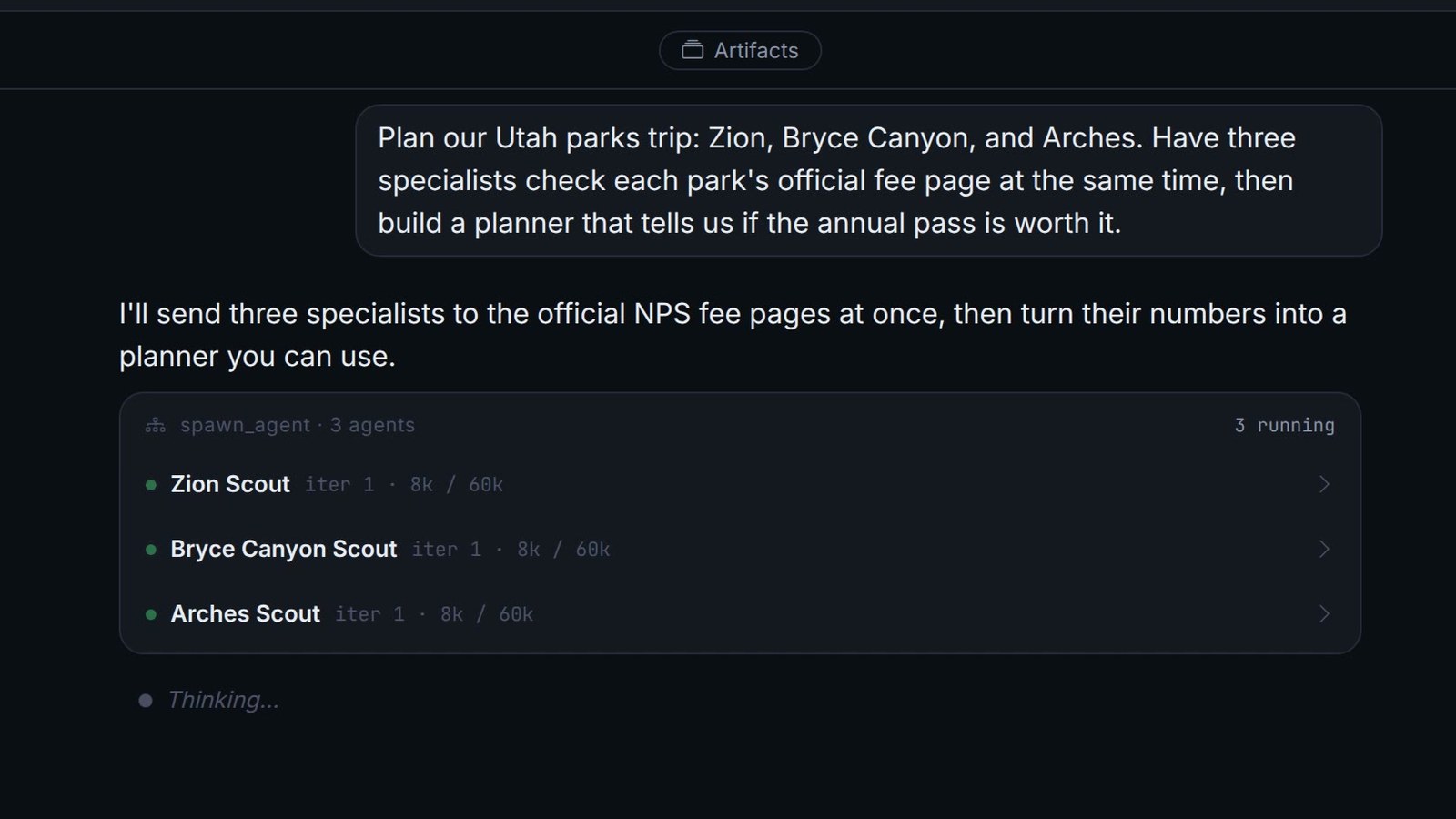
The request: have three specialists check each park's official fee page at the same time, then build a planner.
omnideck started three sub-agents, one per park. Each opened its park's fees page on nps.gov in its own browser and read the private vehicle fee.
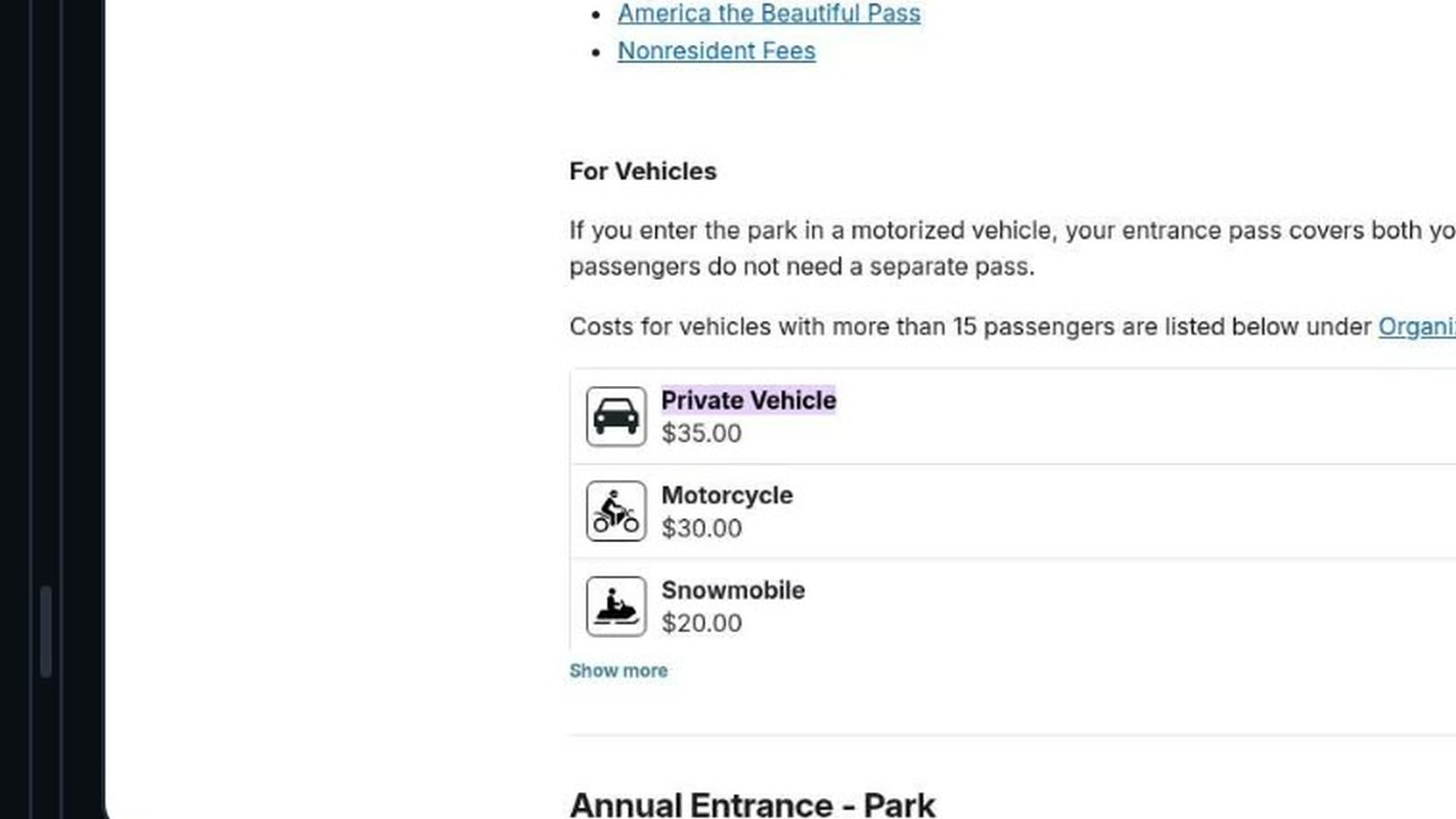
The fees, checked October 2, 2026, for a private vehicle and US residents:
| Park | Private vehicle |
|---|---|
| Zion | $35 |
| Bryce Canyon | $35 |
| Arches | $30 |
| America the Beautiful annual pass | $80 |
The parent agent turned those numbers into a planner. Then it opened the planner in its own browser and clicked through it, removing Arches and putting it back, to check that the answer changed.
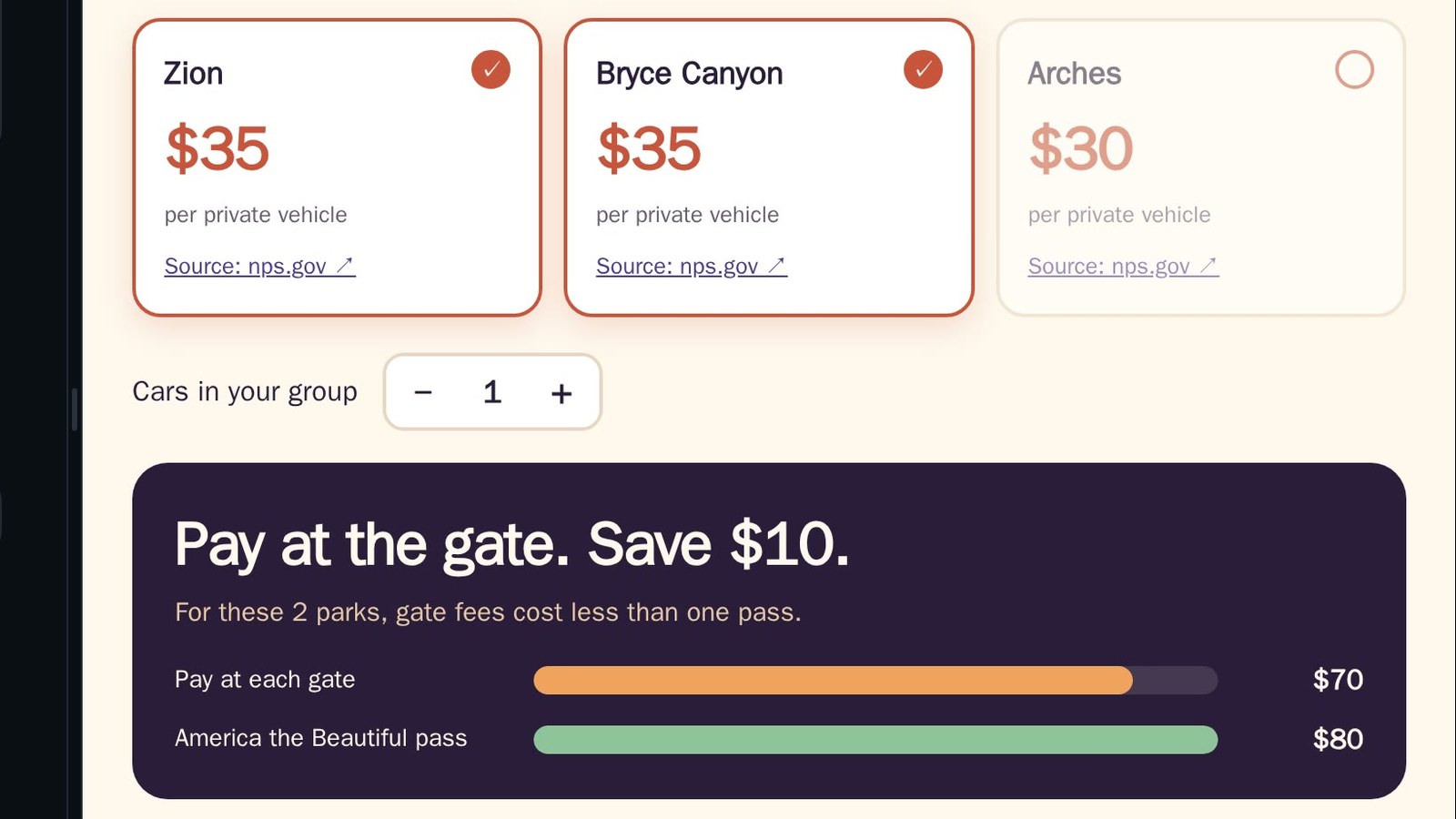
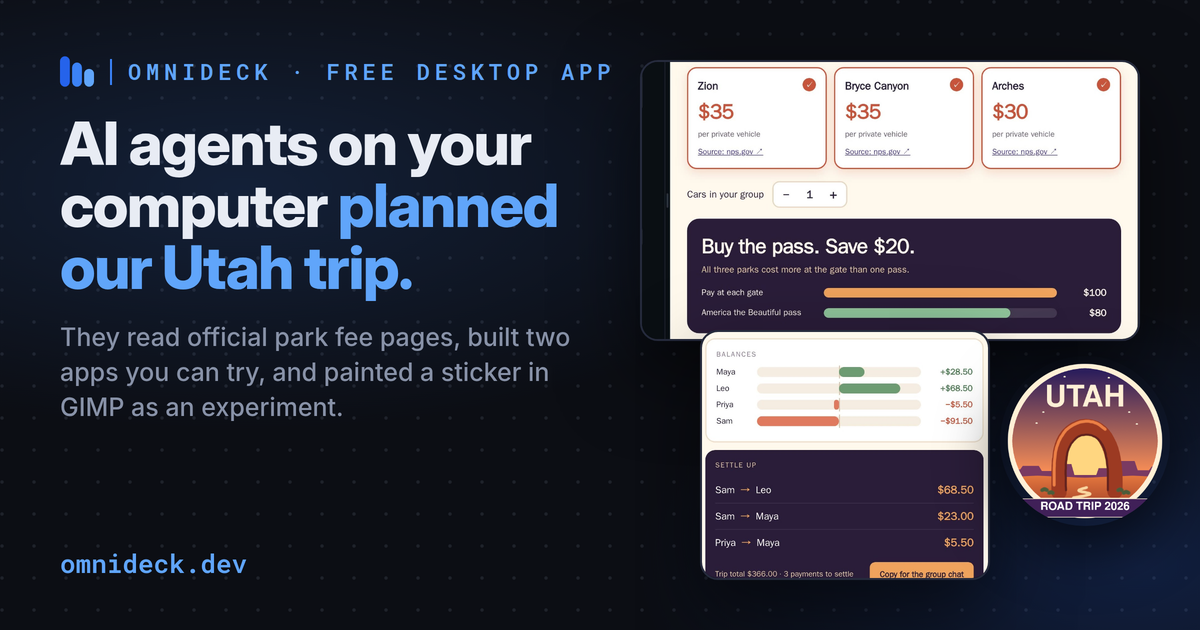
All three parks cost $100 at the gate, so the pass saves $20. Skip Arches and the gate is $10 cheaper. Try the planner yourself. It is the exact file the agent made. Fees change, so check nps.gov before you travel.
2. Build: who owes whom?
The request: a trip expense splitter for four people, one file we can share, settling up in the fewest payments.
omnideck wrote the app as a single HTML file. Then it opened the file in its own browser and tested it like a user would. It typed in an $80 park pass, chose Sam as the payer, clicked Add, and read the settle-up to confirm the math.
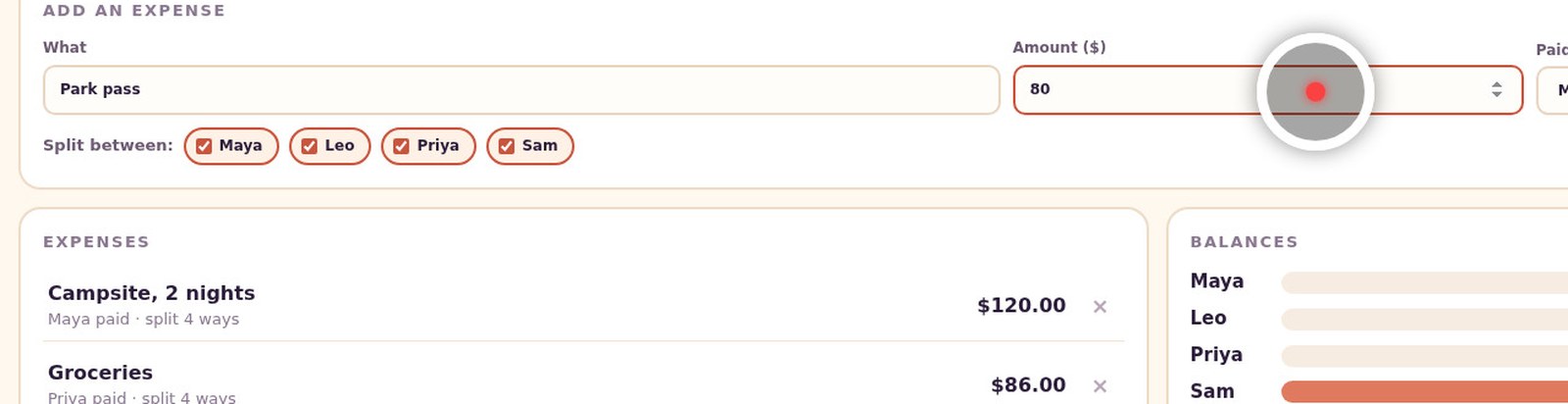
In the video, a person then adds dinner, $96 paid by Leo, and the balances update. Four people and four expenses settle in three payments.
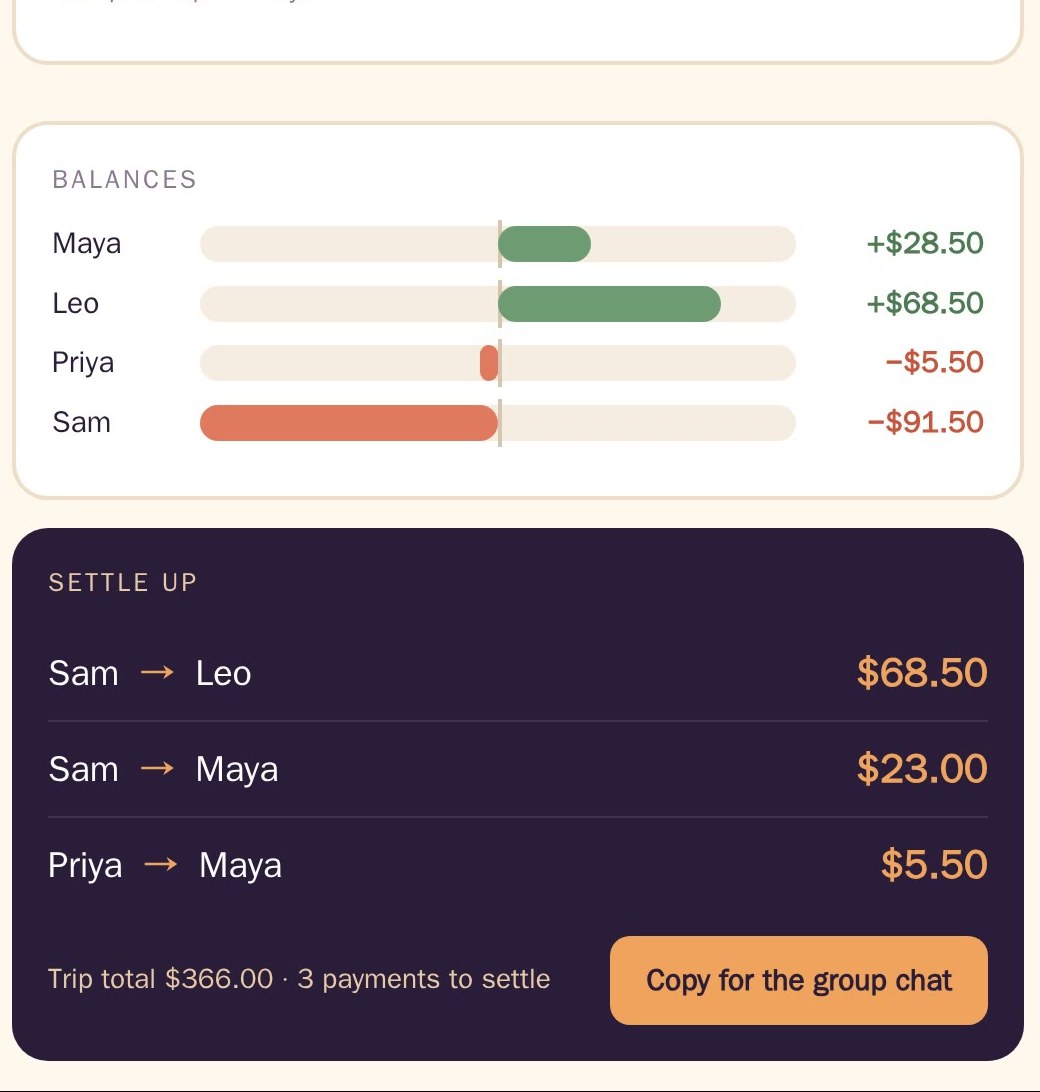
Try the expense splitter. "Fewest payments" is exact. The app searches for the largest number of groups whose balances cancel out, and each group settles separately.
3. Experiment: painting a sticker in GIMP
The request: paint a sticker for the group chat in GIMP and let me watch.
The agent opened GIMP on its own Linux desktop. It filled in the sky and mesas with GIMP's scripting. Then it painted the arch, its highlight, its shadow, and a trail with real mouse strokes, and exported a transparent PNG.


This part is experimental and is not in the current omnideck beta. It ran on a development build of desktop control, including a drag tool that has not shipped. Treat it as a preview of work in progress.
What you can do with omnideck today
The research and build parts use tools in the current public beta: browser control, sub-agents working in parallel, and writing and testing files. omnideck is:
- free and open source under Apache 2
- a desktop app for macOS, Windows 11, and Linux, plus a CLI
- able to use cloud and local models side by side
- free to use with no omnideck account
Install omnideck and try one of these requests on your own machine. If you build something with it, or it breaks, tell us in the community Slack.